Set the default browser for your user profile
Added support for Firefox Portable Edition
Changes
Added support for Firefox Portable Edition

Added support for Firefox Portable Edition
Added support for Firefox Portable Edition
DefaultBrowser allows you set the default web browser for your user profile in Windows XP, without affecting the other users. Note that the user interface in Windows XP does not provide an option for setting the default browser for each user. The browsers you see in the Preset Configuration are tested and working flawlessly as user defaults.
Apart from the Presets list, there is an option at the bottom which allows you choose the Web Browser program file and set it as the default. You may use this section if your favorite browser is not listed with-in the Presets. As you read in the dialog, this method does not work with all the browsers. Some browsers pass command-line arguments for the respective file associations and some use their own type libraries. If the results are not satisfactory using this method, you can undo the configuration by clicking the "Clear Per-User setting....." button.
Reveals exactly how visitors interact with your website
Remove unwanted objects from web pages
Search without leaving your current tab

Tweet directly from the Firefox address bar
Open troublesome Firefox links in Internet Explorer

Intelligently colored tabs
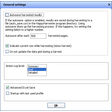
Extract data from text sources online or on your hard drive
Facilitates software submission to download sites
Simplify your life on the web

Instant translations in Firefox thanks to WordReference

A quick fix for slow browsers







In Softonic we scan all the files hosted on our platform to assess and avoid any potential harm for your device. Our team performs checks each time a new file is uploaded and periodically reviews files to confirm or update their status. This comprehensive process allows us to set a status for any downloadable file as follows:
It’s extremely likely that this software program is clean.
We have scanned the file and URLs associated with this software program in more than 50 of the world's leading antivirus services; no possible threat has been detected.
This software program is potentially malicious or may contain unwanted bundled software.
Based on our scan system, we have determined that these flags are possibly false positives.
It means a benign program is wrongfully flagged as malicious due to an overly broad detection signature or algorithm used in an antivirus program.
It’s highly probable this software program is malicious or contains unwanted bundled software.
Based on our scan system, we have determined that these flags are likely to be real positives.









User reviews about DefaultBrowser
Have you tried DefaultBrowser? Be the first to leave your opinion!